
Image: Max McCaskill
FaceTime is one of the most popular iOS video calling apps and most people assume it is limited to the iPhone, iPad, and Mac. However, its functionality is also compatible with devices using the Android operating system. This compatibility lets you enjoy neat features such as call scheduling and SharePlay watch party support.
Luckily, calling non-Apple users works perfectly. Because there’s no native FaceTime app for Android, you’ll need at least one iOS device to start a call and share a link. After that, Android users can easily join a conversation. Continue reading to learn how to start using FaceTime for Android.
Can you FaceTime with Android?
Android devices cannot initiate a FaceTime call, but they can join them if provided a link. To enjoy Apple's FaceTime on Android, you'll need an iOS device to initiate a FaceTime conversation and send a link to Android devices. This method works with single and group FaceTime calls.
How do you Facetime on an Android?
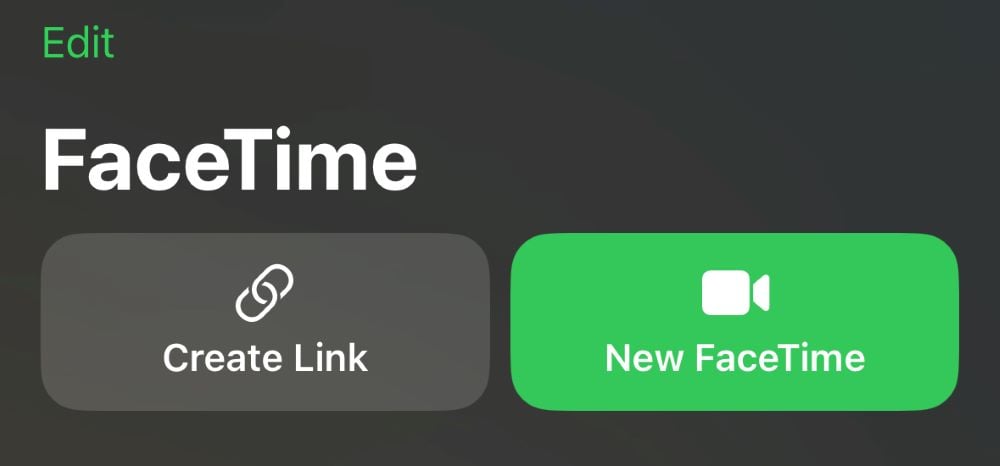
- Open the FaceTime app on your iPhone and tap Create Link (if you’re the Android user in this scenario, ask a friend to initiate a call).
- Click Add Name, then provide a name for your chat when the FaceTime Link screen appears.
- Share the FaceTime chat link using your preferred method (i.e., text, email, or another app).
- Hit Join to participate in the chat you just established.


Once there's an available link, Android users can join the FaceTime call:
- Click the FaceTime call link.
- Enter your preferred name, then select Continue once the link opens in your web browser (you’ll need an updated version of Google Chrome or Microsoft Edge).
- Join the conversation.
Now that you know how to FaceTime between iOS and Android, learn how to record a call on an iPhone.
Are there alternatives to FaceTime on Android?
While iPhone users often make FaceTime video calls, you've got several alternatives for Android. Some of the apps, like Google Meet, Google Hangouts, Facebook Messenger, and Microsoft Teams work with Android and iOS devices. Therefore, we recommend using these apps for communicating between phones on both operating systems. Not using an app anymore? Learn how to delete apps on an Android phone.
Does Android have a FaceTime equivalent?
Yes! Google Duo is considered Android's version of FaceTime. There are also third-party apps available on the Google PlayStore and Apple App Store that can initiate video calls between devices.
Can you use FaceTime between iPhone and Android?
Yes. As of iOS 15, FaceTime has the ability to initiate video chats between iOS, Android, and Windows users.
Can you use FaceTime if you don't have an iPhone?
Yes. Even if you don’t have an iPhone, you can still use FaceTime so long as you’ve got friends and family with Apple devices. Simply ask them to call you using FaceTime.
What do you need to receive FaceTime calls on Android?
To take FaceTime calls on non-Apple devices like Android phones or Windows PCs, you’ll need a caller with an iPhone or iPad, a strong Wi-Fi or cellular internet connection, and the latest version of Microsoft Edge or Google Chrome.
How do you FaceTime with someone on Android?
To FaceTime with an Android user, create a video call session and share the link. Then, join the call and wait for Android participants to pop into the chat.
What is the Android version of FaceTime?
The closest approximation to Apple’s FaceTime on Android is Google Meet which lets you place cross-platform calls between iPhones and Androids. Like FaceTime, Google Meet is a free video calling app.
Moe Long
Senior Writer

Find a better phone plan
Thousands of cell phone plans unpacked. All the facts. No surprises.


.png?w=280&h=280&usm=20&usmrad=0.8&fit=crop "Best Cell Phone Deals for July 2026: Get the New iPhone 17 for Free")



