

The Dynamic Island is now available on new iPhone models, including the iPhone 16. The feature first premiered on the iPhone 14 Pro models and brought the top part of the screen to life by showing the live activity from background tasks on your phone.
The Dynamic Island can show live music, sports scores, and even Apple Maps directions. If you have a device with Dynamic Island, its features appear automatically on your screen if you leave an app with Dynamic Island capabilities.
What exactly is Dynamic Island?
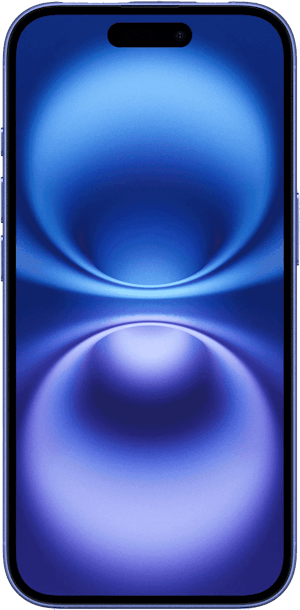
The Dynamic Island is a secondary display that automatically shows alerts or background tasks on your iPhone. You don’t have to enable anything as it’s already part of the iPhone design. It’s located at the top of the screen, surrounding the selfie camera and Face ID sensor.
As for background tasks, these are apps that remain open in the background when you have moved to the home screen or a different app. The Dynamic Island can show your current songs playing, live sports scores, how much time is left on a timer, and even Apple Maps directions.
The Dynamic Island can also give a wide array of notifications, like Apple Pay transaction approvals, AirDrop transfers, or an alert you’ve enabled screen recording. And those are just using the standard features from Apple; there are tons of third-party apps that unlock new abilities for the Dynamic Island.
Music

To see your live music on the Dynamic Island, open a music app like Apple Music, Spotify, or Pandora. Once your music is playing, leave the app, and the Dynamic Island will automatically show a small picture of the album and an animated music icon. To see more details or control the song, tap the Dynamic Island to open a larger view.
Sports
The Dynamic Island can also show you live sports scores. To see them, open the Apple TV app and start watching a sporting event, then leave the app. Right now, this capability is limited to sports viewed through Apple TV, so it won’t work for your other favorite sports apps like ESPN.
Timers

You can also view live timers with the Dynamic Island. This is handy for tasks like recipes when you need steps pulled up on your screen while still seeing the timer at the top.
To use the timer feature, go into your Clock app and set a timer. As soon as you leave the Clock app, the timer will appear on the Dynamic Island.
Maps
The Dynamic Island can also give you live directions from your Apple Maps app. While you can use it while driving, we recommend you use it when walking instead. The directions are written in text, so it is somewhat distracting when behind the wheel.
Third-party apps
There are plenty of third-party apps with Dynamic Island features. Some of them, like Flighty, can track live flights. Landscape shows elevation changes on your favorite hikes. One of my personal favorites is Hit The Island. It turns your phone screen into a game of Pong with the Dynamic Island as your target.
How do I turn off Dynamic Island?
As of iOS 18, there is no way to disable Dynamic Island completely.
If the Dynamic Island is distracting, you can swipe left or right on it to stop showing current tasks or animations. The task will continue in the background, and you must reopen the app to get the Dynamic Island to work again.
Dynamic Island pros and cons
- View background tasks
- Easy control
- Currently on expensive devices
- Not fully optimized for all apps
Apple’s Dynamic Island has many advantages. It lets you monitor important background tasks and easily control those tasks without returning to the app.
However, there are also some disadvantages, specifically availability. The Dynamic Island is only available on the iPhone 14 Pro and later models, so you will have to upgrade if you want to use the feature. The other issue is that the island isn’t fully optimized for all apps yet. This is probably because it’s a relatively new feature and is limited to the newest Apple devices. There have been reports of mobile gaming controls being hidden under the island, making the app unusable, and other apps formatting incorrectly.
Which iPhones have Dynamic Island?
You can get the Dynamic Island by snagging any of the following iPhone models:
- iPhone 16
- iPhone 16 Plus
- iPhone 16 Pro
- iPhone 16 Pro Max
- iPhone 15
- iPhone 15 Plus
- iPhone 15 Pro
- iPhone 15 Pro Max
- iPhone 14 Pro
- iPhone 14 Pro Max
The newest iPhone 16 starts at $799 with 128GB of storage. It comes with a powerful A18 Bionic processor and an advanced dual-camera system. This phone is frequently on sale, so check out our iPhone deals page to find the best offer for you.
iPhone 16 128GB

| Description | |
|---|---|
| Screen Size | 6.1" |
| Available On | 172 Plans from 17 carriers |
| Available From |


|
| Priced From | $729.99 upfront |
| View Full Details |
 Apple's 2024 model featuring their new Apple Intelligence with the custom-built A18 Bionic chip and the new iPhone 16 camera system.
How to use Dynamic Island: FAQs
Max McCaskill
Sr. Staff Writer

Find a better phone plan
Thousands of cell phone plans unpacked. All the facts. No surprises.


.png?w=280&h=280&usm=20&usmrad=0.8&fit=crop "Best Cell Phone Deals for July 2026: Get the New iPhone 17 for Free")



