
Over 50,000 new apps are released every month, creating an onslaught of options for users looking to enhance their phone's capabilities. Good news: we're here to help.
Every month, we root through the app stores, searching for the best new apps for your phone. We're not just regurgitating the Android and iOS charts: We're recommending the tools we've added to our own phones—ones that we know, from our own experiences, have improved our day-to-day lives.
Since 2008, we've watched the evolution of smartphones and apps, and we've learned the differences between essential ones and their fly-by-night counterparts. This collection of the best new iPhone and Android apps for June will help you get more out of the phone in your pocket.
How we picked the best apps for June
Our testers search for Android and iPhone apps that are easy to use and affordable. We evaluate the best apps of the month through hands-on use and rate them on a five-star scale based on the following criteria:
- User experience
- Price and value
- Efficacy
- Practicality
- Privacy & security
Best Apps for
iPhone and Android
Deezer
A serious Spotify rival with a lower price tag—but only if you pay for it.
- Free with ads on the Apple App Store and Google Play Store.
- Premium is $11.99/month (subscribing through Apple costs $14.99/month).
I use music streaming apps almost exclusively in the car. I can't have anything playing in the background while I'm working without losing my train of thought entirely, which means my daily test of Deezer was less "background ambient listening" and more "can this app handle a 45-minute playlist without annoying me?" The answer, with premium, was yes.
Deezer's onboarding is genuinely one of the better ones I've seen from a music app. You add your email, create a password, set a username, and then the app asks whether you're already using a streaming service. If you are, it pulls in your playlists and library from Spotify or Apple Music so you're not starting from scratch. If you're not, it walks you through selecting at least ten artists to build an initial profile, and the suggestions adjust in real time as you pick—choose Taylor Swift and suddenly Gracie Abrams and Lorde appear next to her.
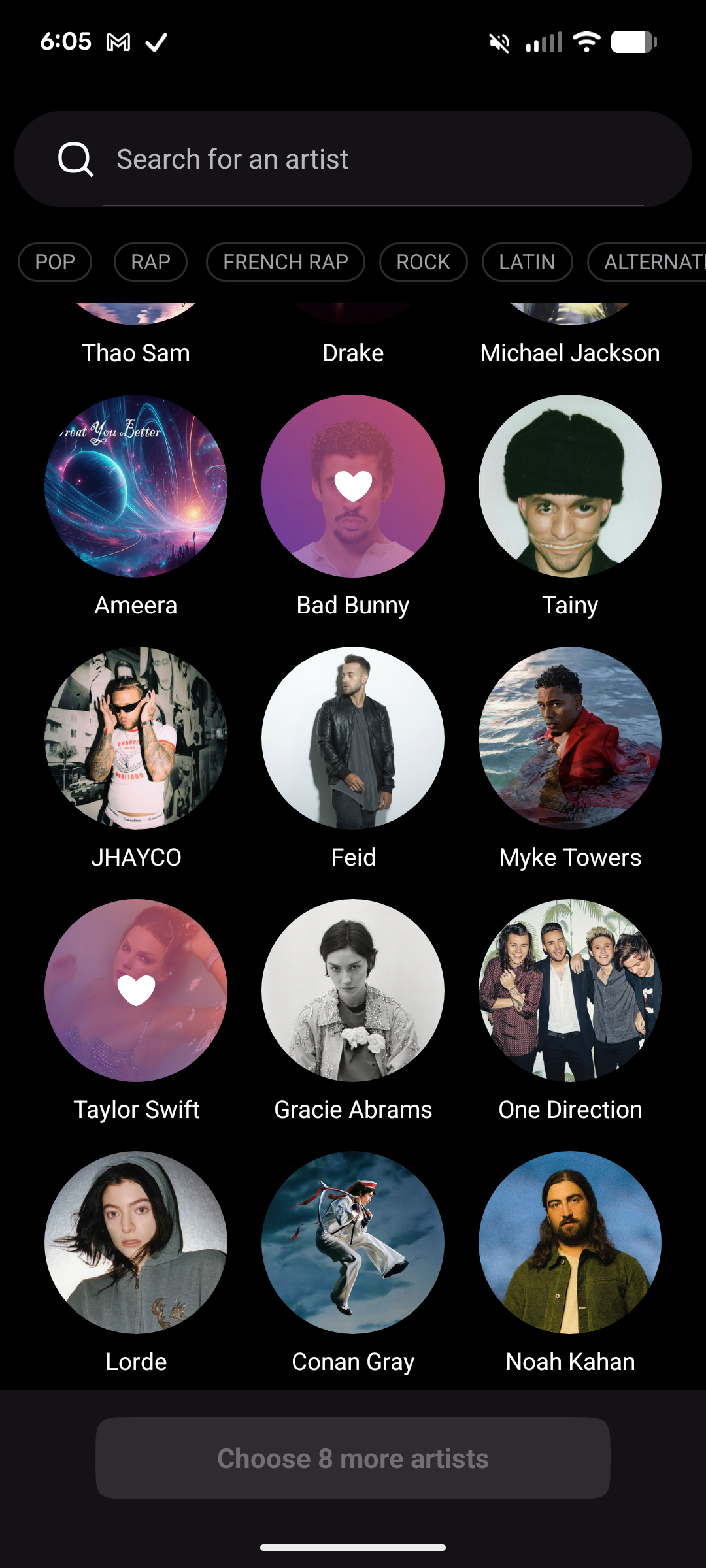
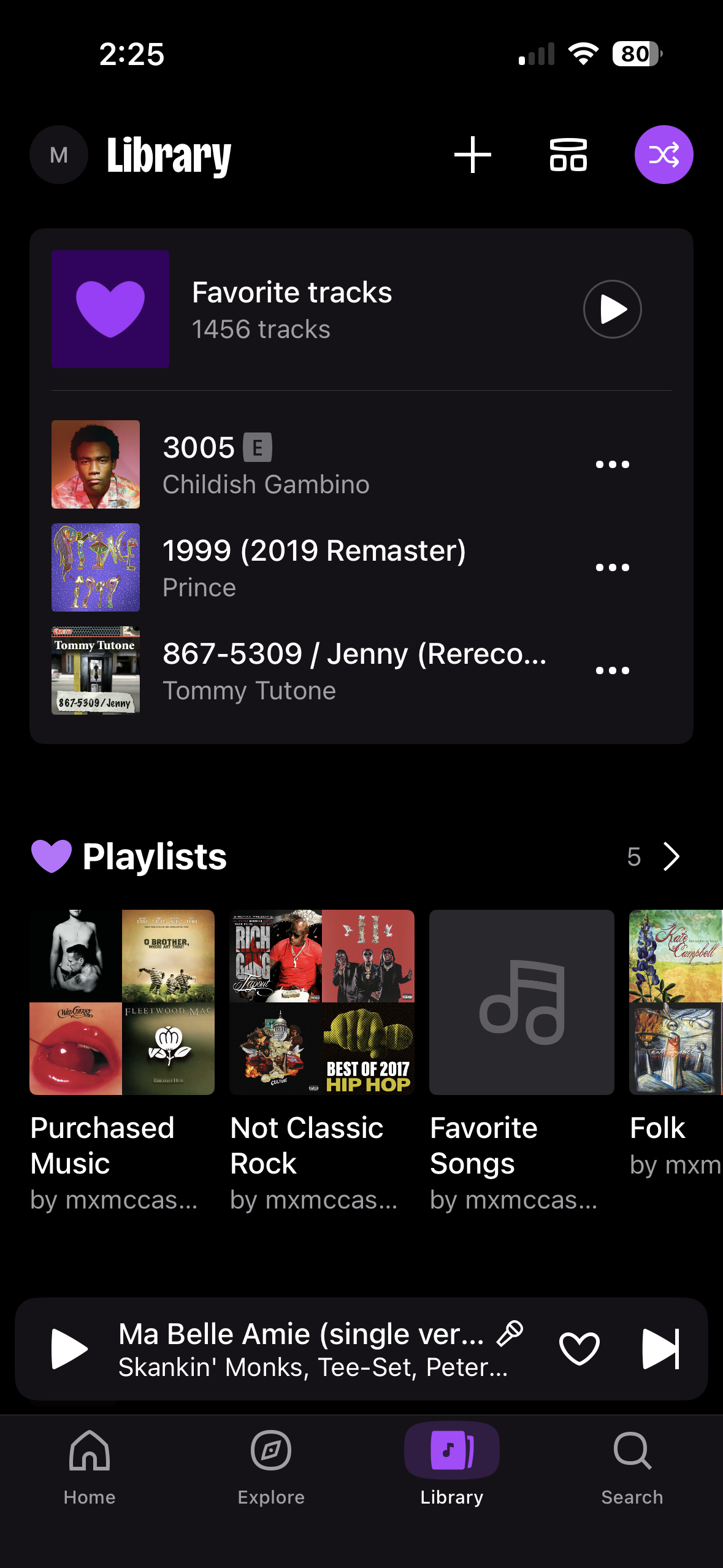
Image: Max McCaskill | WhistleOut
The free tier, though, is a problem. You can listen to ad-supported music, but you can't choose specific tracks from your own playlists—everything shuffles. You can't repeat songs. You get a limited number of skips per hour. Some of the AI-built playlists also misfire—my 70s soft rock mix played a song from the 1980s by song three and then looped back to the opening track after five songs. With only a handful of skips available, that's a frustrating experience.
“With the paid version, I’d pick Deezer over Spotify every time—it’s cheaper and just as good.”
The paid experience is a different story. With premium active, Deezer stacks up directly against Spotify in terms of features, library depth, and audio quality—and at $11.99/month versus Spotify's $12.99/month, Deezer is actually cheaper. The main reason I'd give the edge to Deezer is that the UI feels slightly cleaner to me than Apple Music (which is genuinely a mess to navigate), and the Flow feature—Deezer's take on a personalized infinite radio—does a good job of surfacing tracks I wouldn't have found on my own.
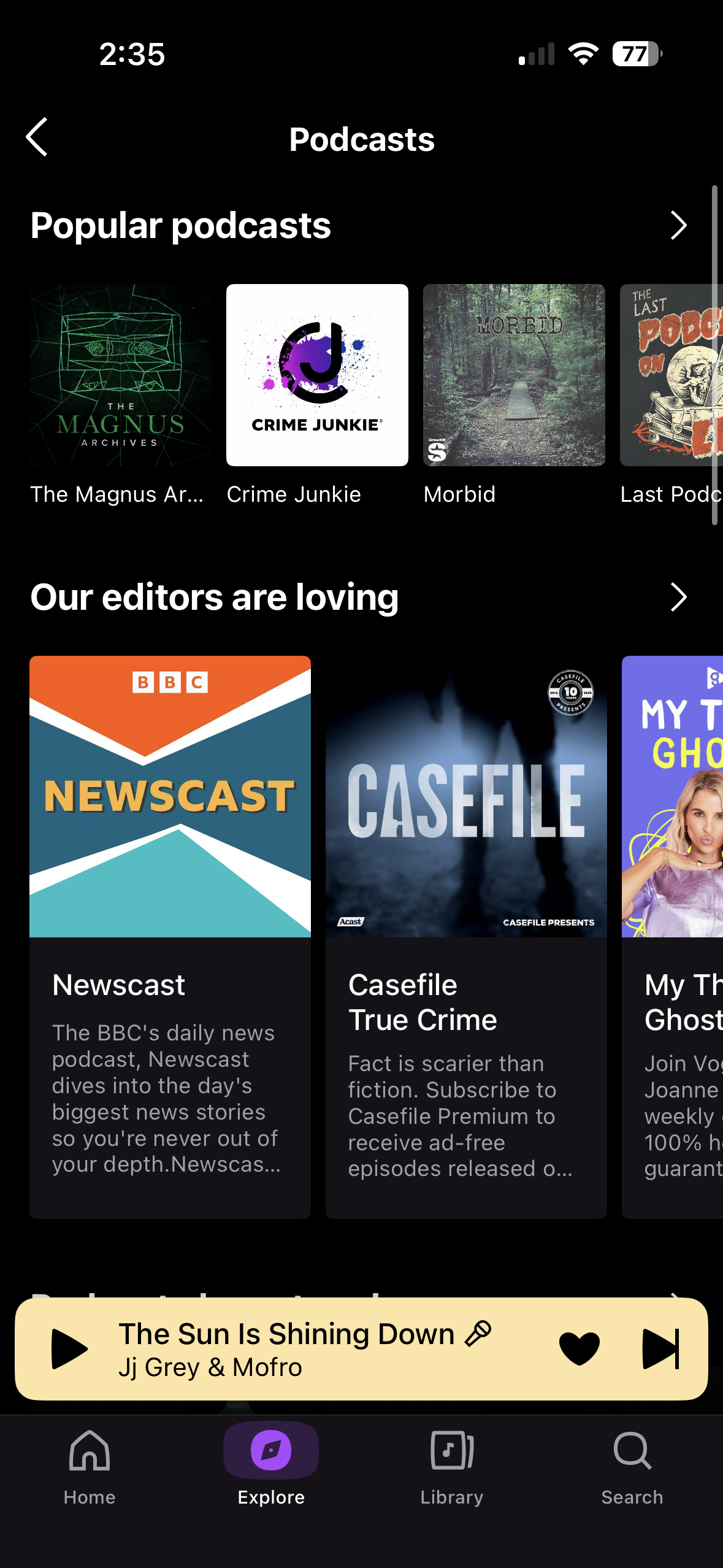
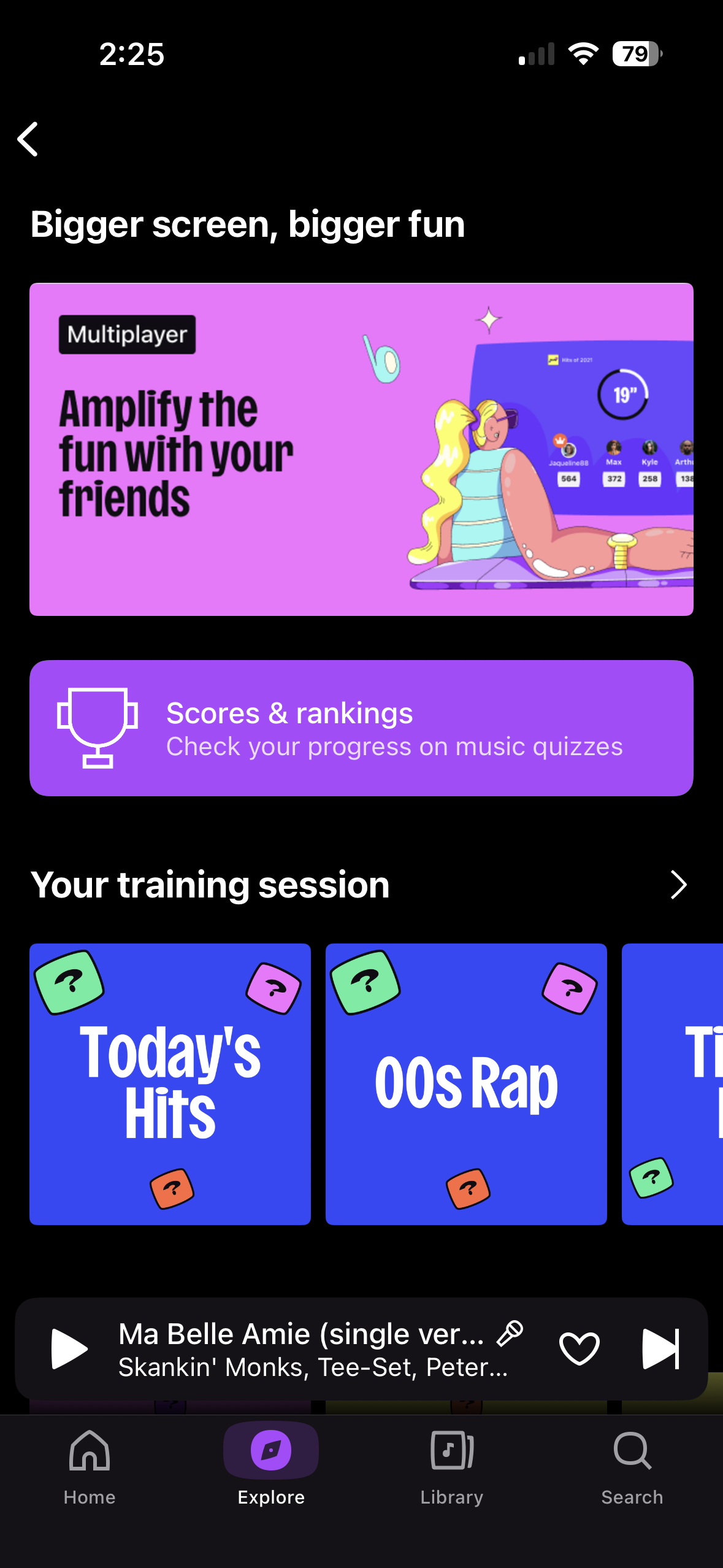
Image: Max McCaskill | WhistleOut
Deezer also has a podcast section, music quizzes, and a social Shaker feature for co-creating playlists with friends—none of which are heavily promoted in the app and all of which I stumbled onto by accident. The privacy picture is reasonable because Deezer doesn't request location tracking and asks only for background app refresh and cellular data. Account deletion is available in settings and the cancellation flow is clean—easier than most subscription apps I've tested.
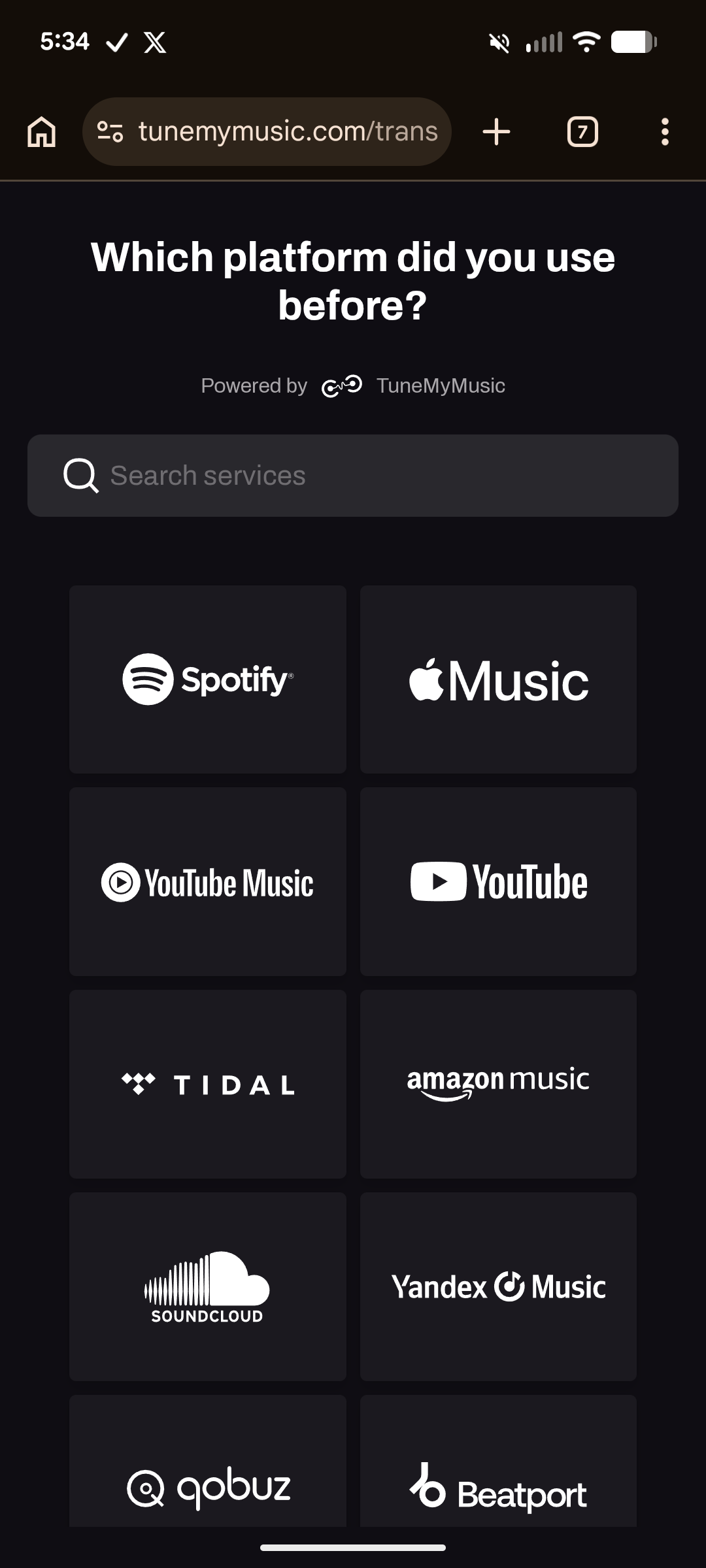
Image: Max McCaskill | WhistleOut
All in all, the free tier is borderline unusable if you want to actually pick your own music, but the premium version is a worthy Spotify alternative at a lower price. I'm not switching away from Apple Music because I get it through a bundle that makes it cheaper—but if I were paying full price for a standalone streaming service, Deezer would be my call.
Streaming music eats data—make sure your plan keeps up.
High-quality audio streaming burns through mobile data fast. See the top affordable unlimited data plans right now so your playlist never skips.
|
Visible

$25 Visible Plan
$25.00/mo
Taxes & Fees included
|
|
Mint Mobile

Unlimited Data Plan
$25.00/mo
$75.00 upfront payment for 3 months (equals to $25.00/month). Intro pricing for new customers only.
|
|
T-Mobile

Essentials Saver
$50.00/mo
with Auto-Pay - Taxes & Fees NOT included
|

"With the paid version, I'd pick Deezer over Spotify every time—it's cheaper and just as good. The free tier is borderline unusable if you actually want to pick your own songs, so skip straight to the trial."
Max McCaskill, Senior Staff Writer
Best of June 2026
Recommended by Max McCaskill
Stop Motion Studio
The stop motion app that makes you a filmmaker in about ten seconds flat.
- Free on the Apple App Store and Google Play Store.
- Premium one-time purchase costs $5.99.
- No account required and zero data collected.
I have tried to make stop motion videos before... It did not go well. Back before smartphones, it required a dedicated camera, a tripod, lighting, software, and a level of patience I do not have. The results were never good. So when I downloaded Stop Motion Studio expecting a similar ordeal, I was not prepared for what actually happened: I opened the app and was filming my first video within ten seconds.
Stop Motion Studio makes filming a breeze. You point your camera, tap the screen to capture a frame, move your subject slightly, tap again. The app assembles each frame into a video in real time, showing you a faded ghost of your previous shot so you can line up your next movement precisely. There is no tutorial required. There is no account to create. There is no data being collected. You just open it and start making things.
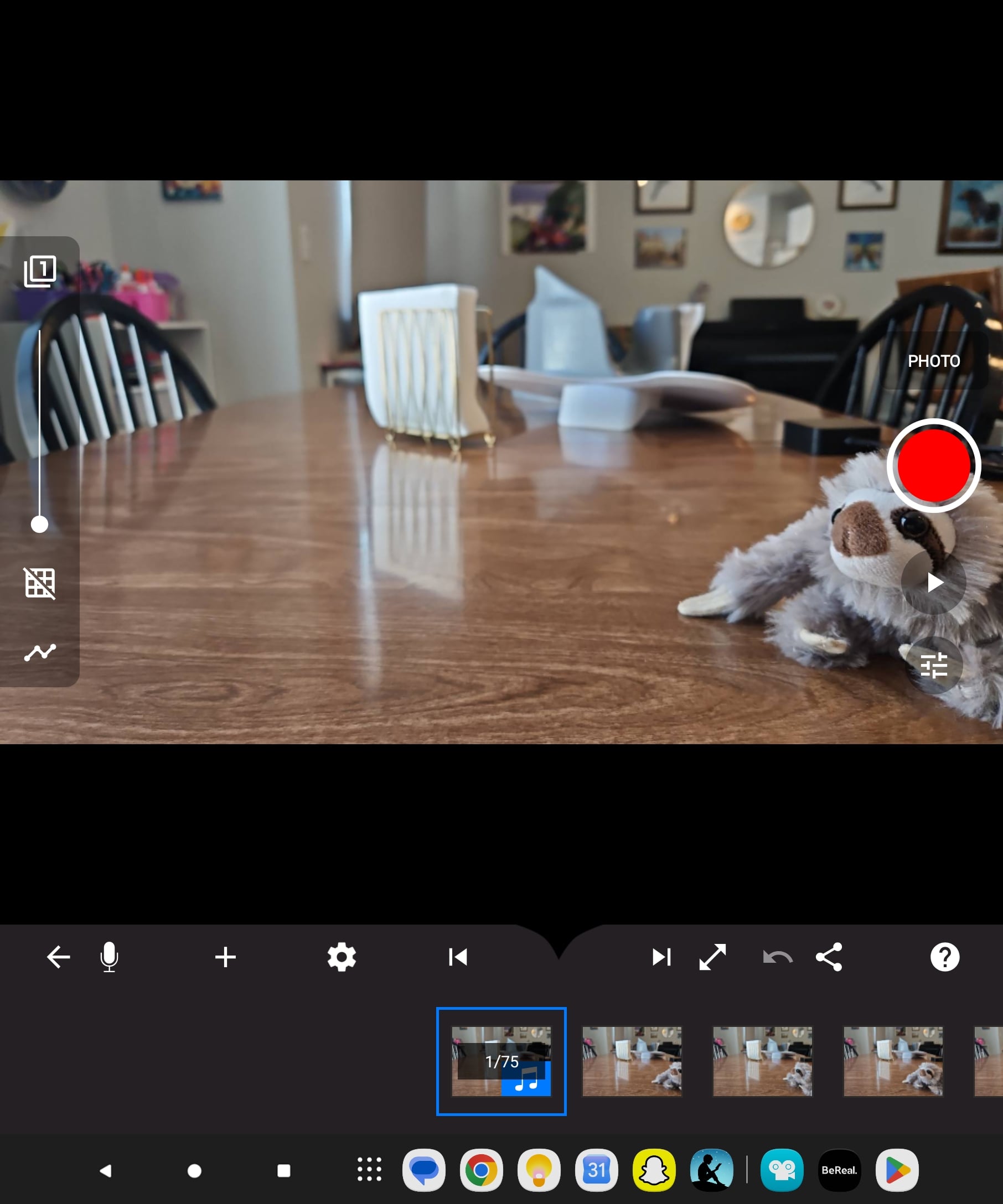
Image: Scott Houghton | WhistleOut
I even handed my phone to my five-year-old and let her try it. She figured it out without any help from me and made a video of her stuffed animals that, honestly, held together better than my first attempt. That is the clearest sign I can give you of how approachable this app is.
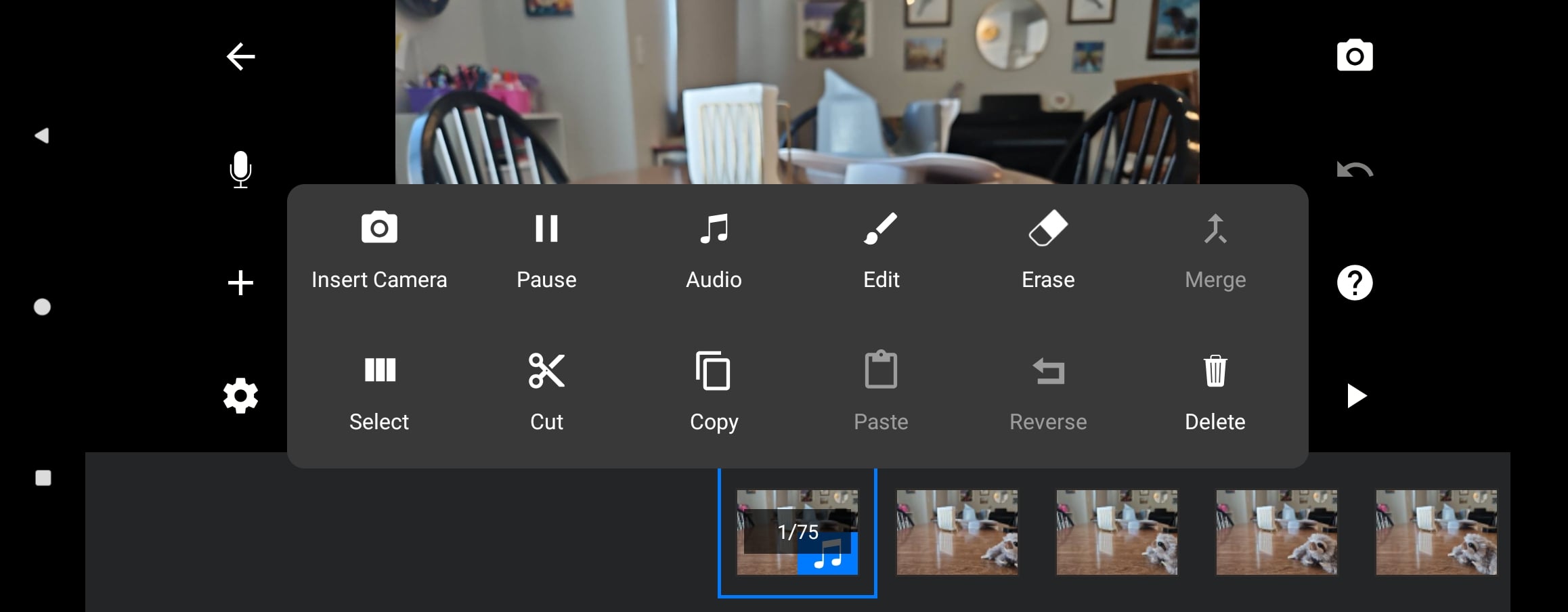
Image: Scott Houghton | WhistleOut
The free version is legitimately full-featured. You get frame capture, the ghost overlay, basic editing, and video export. The $5.99 one-time premium upgrade adds audio recording, 4K export, visual effects, chroma key (green screen), and a second camera angle option—none of which you need if you're just getting started, but all of which become interesting once you realize what this app can actually do.
“This is BY FAR the best app I have tested since working for WhistleOut—and my five-year-old figured it out without any help.”
One frustration worth flagging for Galaxy Z Fold users: the share and export button doesn't appear on the app unless you fully unfold the phone. It took me a few days of confusion before I figured that out. The tutorial videos show the button plainly, but if it's not visible on your screen, those tutorials are useless. It's a minor bug in an otherwise flawless experience, but worth knowing before you spend twenty minutes thinking you've lost your video.
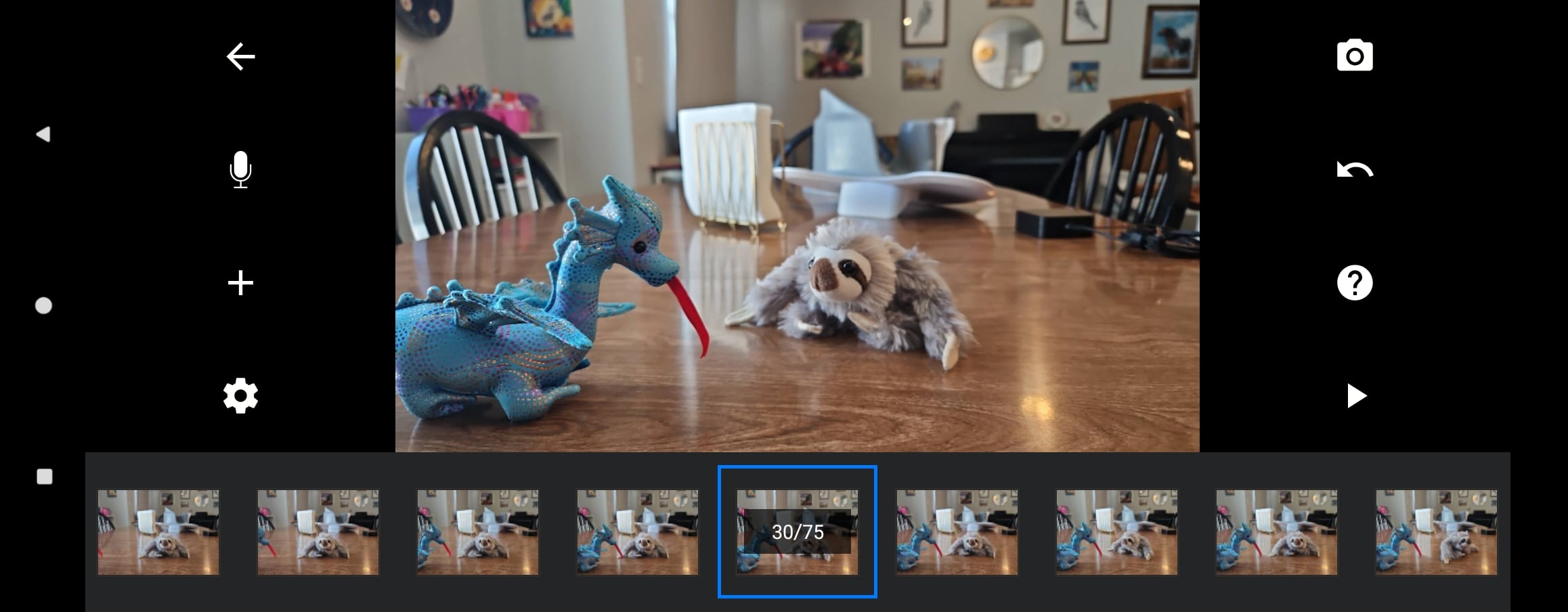
Image: Scott Houghton | WhistleOut
The app requests only camera access (and microphone only if you want voice narration). No account, no data collection, no third-party sharing. In 2026, that feels almost radical for a free app.
Stop Motion Studio is for literally everyone—but if I had to pick a target audience, it's parents and kids. The creative floor is "my five-year-old animating stuffed animals" and the creative ceiling is "surprisingly professional short films." Both are genuinely achievable with the same app. This is by far the best app I've tested since joining WhistleOut, and I paid the $5.99 without thinking twice.
Making videos? Make sure your phone can keep up.
Stop motion filming and video export work best on a phone with a solid camera and a fast processor. Here are the most popular flagship phones on the market right now:
Moto G 5G (2025) 128GB
- 6.7 inch display
- Rear Cameras: 50MP, 2MP
- Front Camera: 16MP

Moto G 5G (2026) 128GB
- 6.7 inch display
- Rear Cameras: 50MP, 2MP
- Front Camera: 32MP

Galaxy A26 5G
- 6.7 inch display
- Rear Cameras: 50MP, 8MP, 2MP
- Front Camera: 13MP



"This is BY FAR the best app I've tested since working for WhistleOut. The free version alone gives you everything you need to make something genuinely impressive—and the $5.99 upgrade is one of the easiest purchases I've made."
Scott Houghton, Staff Writer
Best of June 2026
Recommended by Scott Houghton
Letterboxd
A personal movie diary that becomes more useful the more you put into it.
- Free with ads on the Apple App Store and Google Play Store.
- Pro costs $18.99/year and Patron costs $48.99/year.
I'm a casual moviegoer. Not a cinephile—I'm not tracking director filmographies or writing 800-word reviews—but I do watch a lot of movies and I can never remember which ones I've seen. Letterboxd solves that problem and then some, though it took me a while to realize it.
The initial screen is a bit overwhelming. Opening the app for the first time drops you into a grid of movies with no clear starting point. There's no here's what to do first moment or explanatory tutorial. I found myself just tapping through tabs until I landed on the profile page, which is where things started to click.
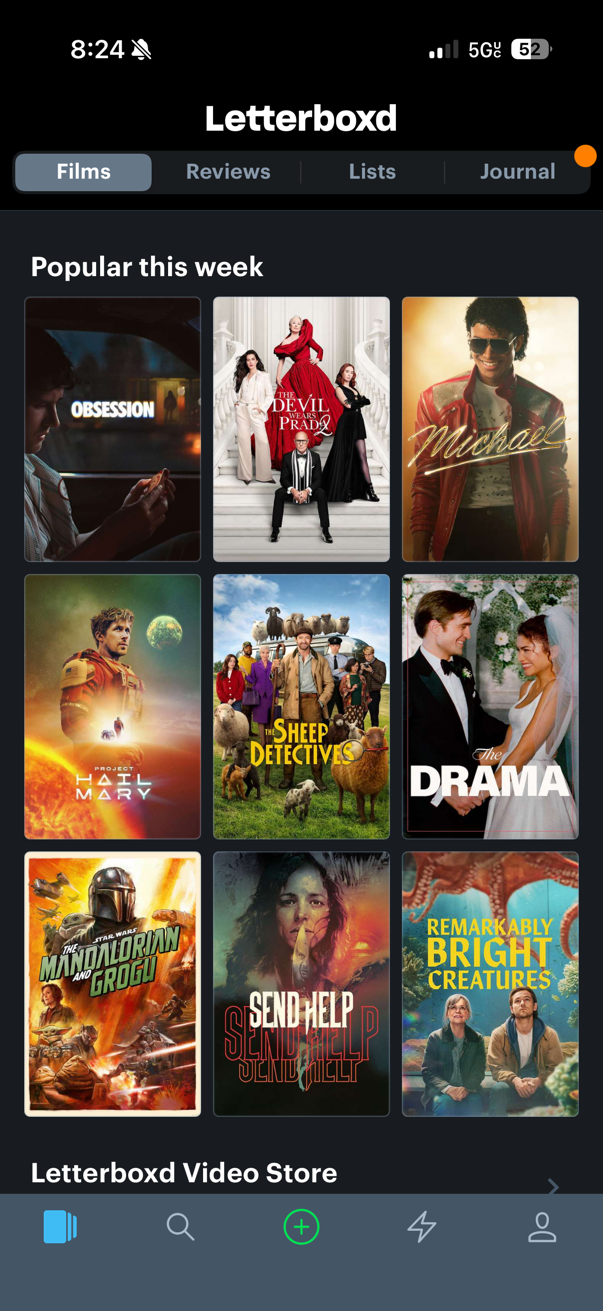
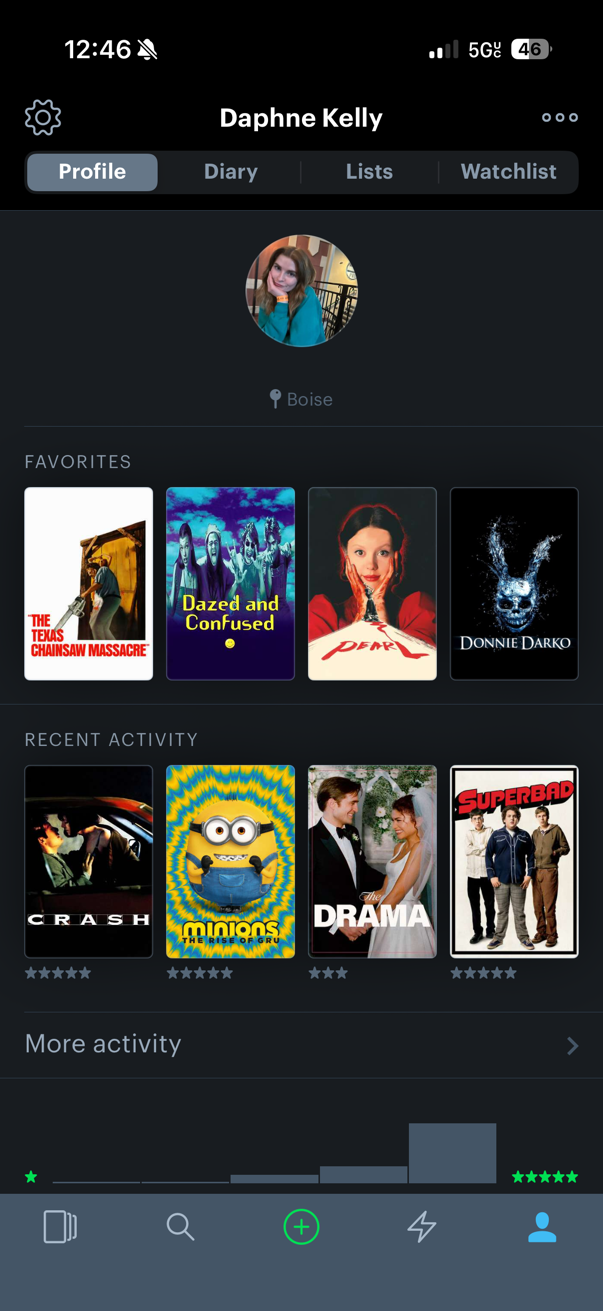
Image: Daphne Kelly | WhistleOut
The film logging feature is the reason to download this app. You find a movie, give it a star rating, write a review if you want one, and it's logged instantly. Films you've watched for the first time appear under "films," and rewatches are cataloged under "diary." That distinction confused me at first—I had to check the FAQ to understand it—but once it clicked, I appreciated the separation.
“Once you nail down which features you actually like and just use those, it becomes a genuinely fun app to come back to.”
Letterboxd has a social layer built in—you follow other users, see what they're watching, and browse reviews. In theory, this is interesting. In practice, if you open the app with zero people to follow, about a quarter of the tabs are completely useless. The activity feed, the friends feed, the social homepage—none of it does anything until you've built a network.
I started following a few strangers whose Favorites section matched my taste, and once I did, those tabs came alive. I found a few films through their logs I wouldn't have discovered otherwise. The social layer is worth the investment once you've found your people—it just takes some work to get there.
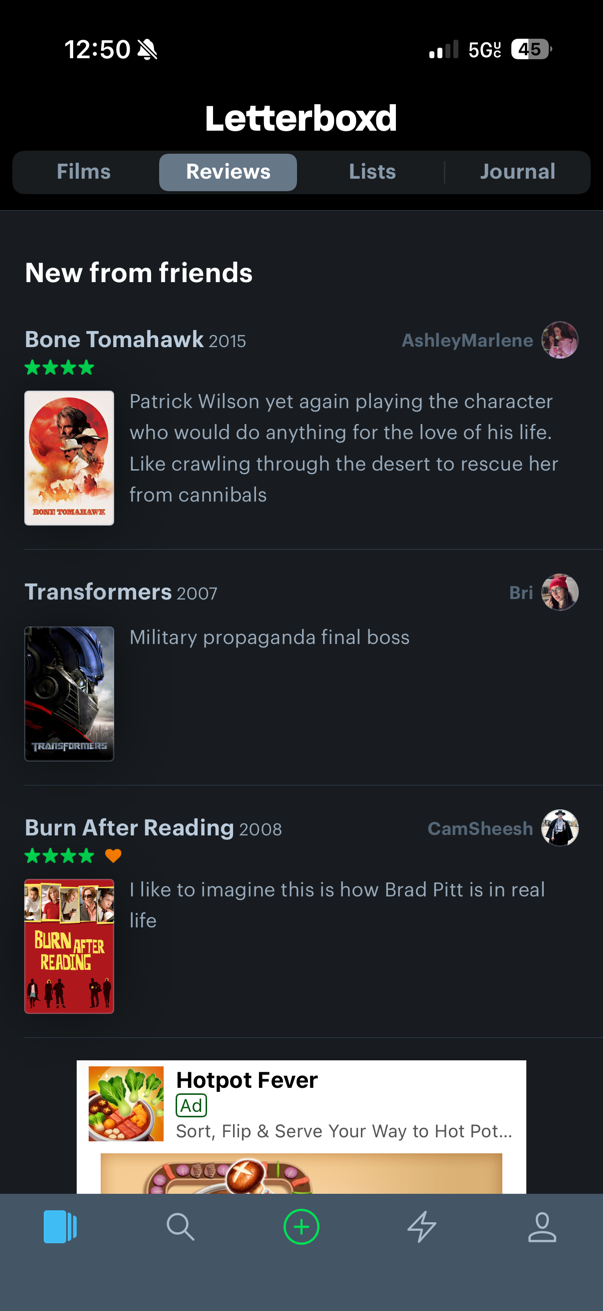
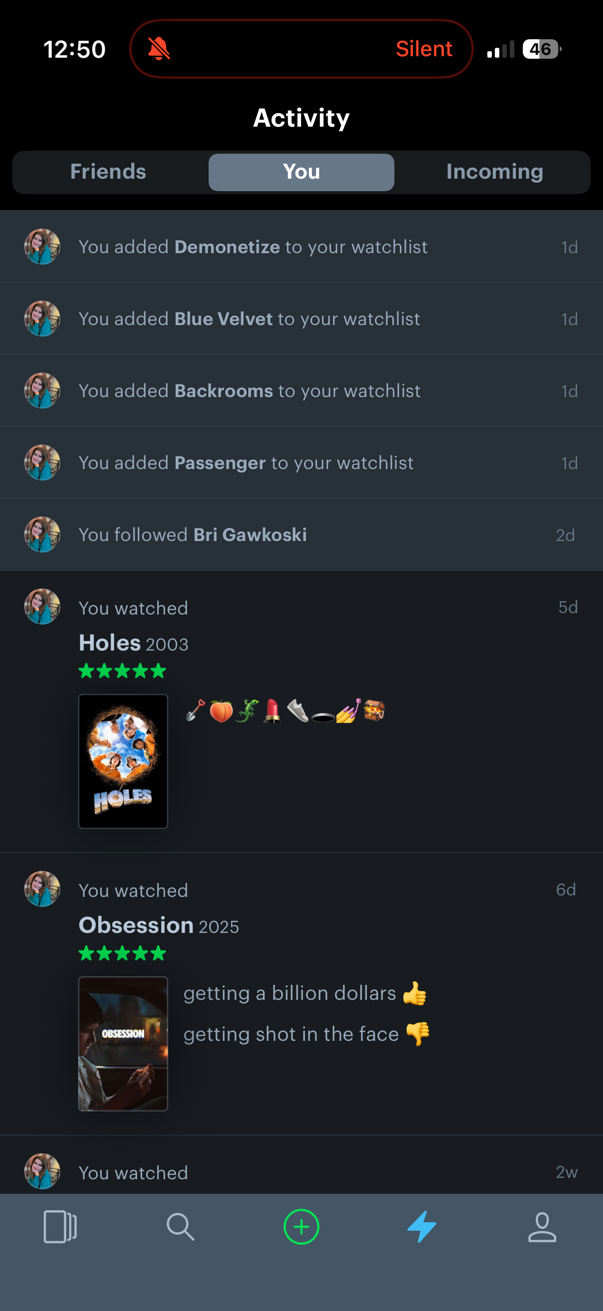
Image: Daphne Kelly | WhistleOut
The main limitation I keep coming back to is privacy. Your watch history and all your reviews are fully public—there is no option to make your profile private. You can make individual lists private, but everything you've logged and rated is visible to every user on the platform. That's not a dealbreaker for me personally, but it's worth knowing before you start logging every film you've ever seen.
The ads in the free version are also hard to ignore. On the profile screen, they take up a significant chunk of the page. At $18.99/year, Pro is a reasonable ask if Letterboxd becomes a regular habit—and for a movie lover who actually uses it consistently, it probably will.
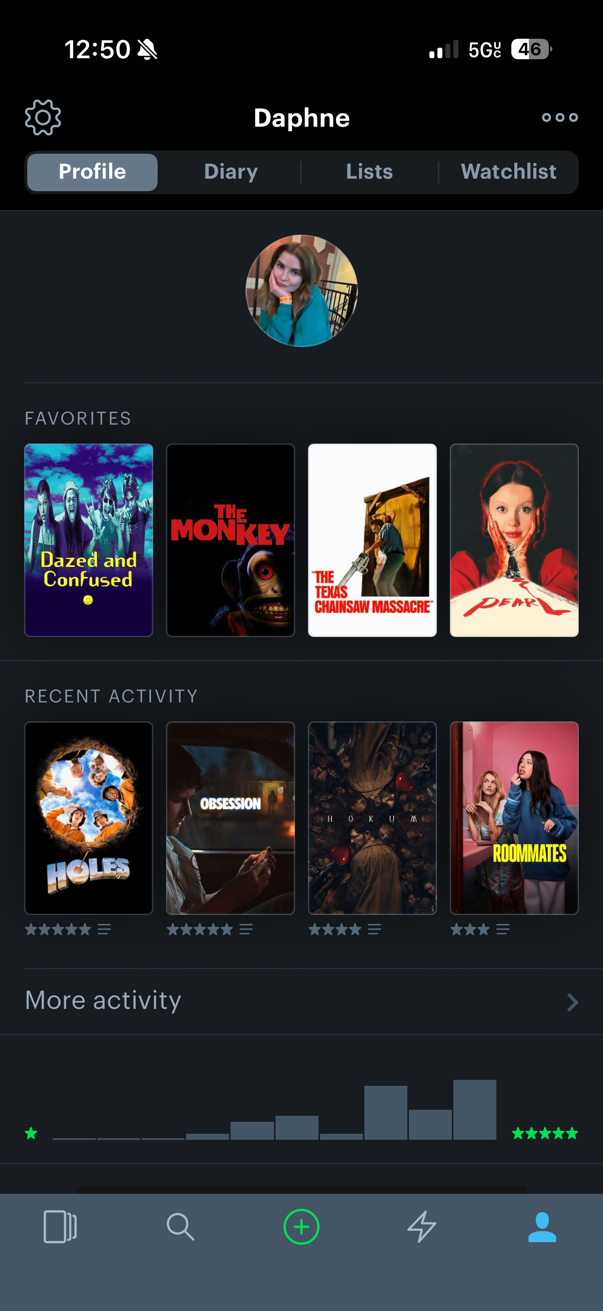
Image: Daphne Kelly | WhistleOut
Stream the movies you're logging—on a plan that won't cost you a fortune.
Letterboxd tells you what to watch. A good data plan makes sure you can stream it. See the top affordable unlimited plans from MVNOs—same networks, lower monthly bill.
|
Visible
$25 Visible Plan
$25.00/mo
Taxes & Fees included
|
|
Mint Mobile
Unlimited Data Plan
$25.00/mo
$75.00 upfront payment for 3 months (equals to $25.00/month). Intro pricing for new customers only.
|
|
XFINITY Mobile

Mobile Select Plan
$0.00/mo
(for the first year of service) <br>Regular rate of $30/mo. thereafter
|

"The more you log movies and follow people with similar taste, the better the experience gets. But you have to accept that everything you log and review is fully public—there's no privacy setting that changes that."
Daphne Kelly, Staff Writer
Best of June 2026
Recommended by Daphne Kelly
Natural Cycles
A fertility tracking app that feels like a 15-minute ad.
- Free to download on the Apple App Store and Google Play Store.
- Subscription required to access: $12.99/month or $99.99/year.
Natural Cycles markets itself as the first app to receive FDA clearance as a form of birth control. It uses your basal body temperature each morning and your cycle length to predict which days you're fertile and which days you're not.
But actually getting to the app itself felt like being walked through a very long infomercial before anything useful appeared.
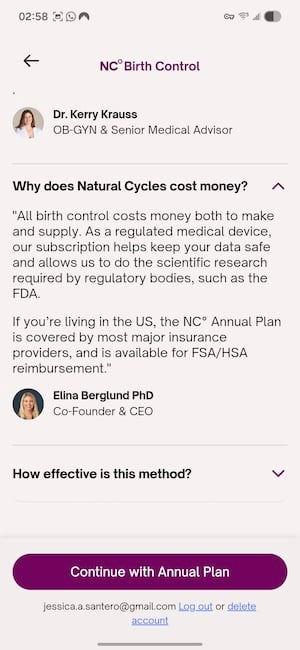
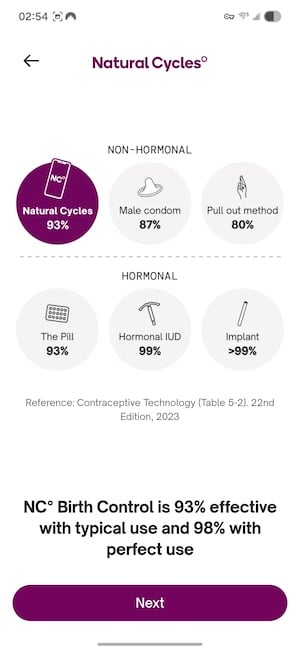
Image: Jessica Santero | WhistleOut
The first thing Natural Cycles does when you open it is spend a significant amount of time establishing its own credibility. You'll read about the FDA clearance, the clinical studies, the effectiveness claims, and the scientific framework before the app lets you do anything. By the time you reach an actual feature screen, it feels like you've just sat through an endless webinar.
Natural Cycles claims it's more effective than condoms used with sex at preventing pregnancy—which just seems a little off to me. Just keep in mind that the effectiveness rate comes from studies conducted using the app's own user data, in ideal conditions with perfect, consistent use. But it works well for tracking periods or pregnancy.
“I'm tired of so many apps hiding their subscriptions behind intuitive, data-gathering ads. Natural Cycles is by far the worst.”
I want to be clear that cycle tracking is a legitimate practice, and some people will find real value in the basal temperature approach that Natural Cycles uses. But if you're considering this app as your primary method of contraception, have that conversation with your doctor—not with a subscription flow. The app's design prioritizes converting you to a paying subscriber before it prioritizes giving you the information you'd need to make that decision well.
More apps, less scrolling.
We test new apps every month so you don't have to. Check out our latest picks for the best new apps—and find your next favorite before everyone else does.
"The onboarding is a fifteen-minute ad before you can access anything useful. If you're seriously considering this as a contraceptive method, talk to your doctor before the app's marketing does the convincing for you."
Jessica Santero, Staff Writer
Best of June 2026
Recommended by Jessica Santero
How WhistleOut reviews apps
Our mobile experts scour the app stores every month, looking for the best new apps for Android and iPhone. Before recommending an app, we use the app for at least one full week, testing its basic functionality and evaluating whether or not it delivers on its promises. From there, we weigh the app's pros and cons, and then determine whether or not it's a worthwhile download for the wider population of cell phone users.
- Easy to use
Great apps simplify your phone. We selected the tools that don't require a complicated instructional manual. - Affordability
The internet is filled with expensive price tags, but we're not buying what they're selling. We lean into inexpensive, quality apps. Extra points if they're free! - Hands-on testing
We played around with these before recommending them, ensuring they're worth your download.
From there, we weigh the app's pros and cons and then determine whether or not it's a worthwhile download for the wider population of cell phone users.
All the latest cell phone news and deals, delivered every Thursday.
Jessica Santero
Staff Writer

Find a better phone plan
Thousands of cell phone plans unpacked. All the facts. No surprises.


.png?w=280&h=280&usm=20&usmrad=0.8&fit=crop "Cheap Unlimited Data Plans from $25/Month")


.png?w=280&h=280&usm=20&usmrad=0.8&fit=crop "Best Cell Phone Deals for June 2026: Get the New iPhone 17 for Free")

