
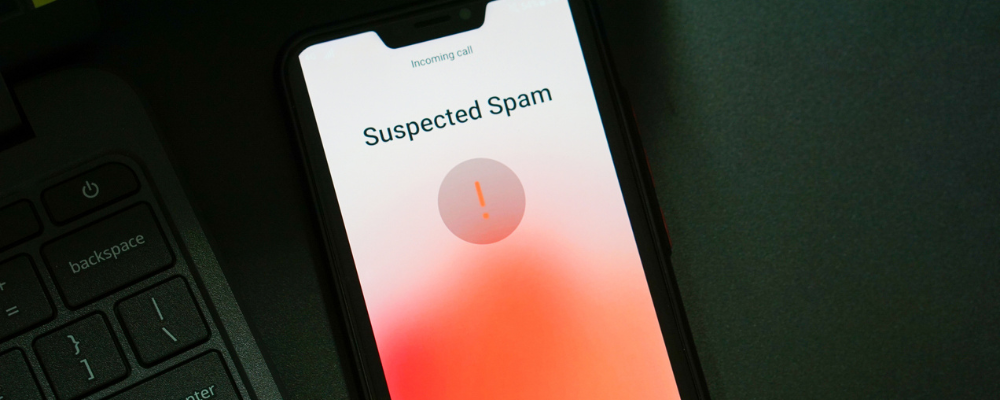
Congratulations! You’ve won a $1,000 Wal-Mart gift card! Annoyed already? Me too. At best, spam texts and calls are a nuisance, but at worst, they can threaten your personal and financial security. Thankfully, spam-blocking apps such as Robokiller, Truecaller, Nomorobo, and more are making it possible to live a spam-free life or something close to it.
Whether you want robot retaliation or enhanced caller ID, there’s an app for you. We’ve reviewed the best spam-fighting apps and compiled our top five. Say goodbye—or, rather, nothing at all—to pesky scammers with these worthwhile apps.
How we picked the best spam-blocking apps
WhistleOut searches for Android and iPhone apps that are easy to use and affordable. We evaluate apps through hands-on testing and rate them on a five-star scale based on the following criteria:
- User experience: We search for apps that enhance the user experience, improving the power of your phone and making your life less complicated. The apps we recommend are intuitive, allowing users to put them to use as soon as they open them.
- Price & value: We select apps that charge minimal download fees and tend to favor apps that don't charge anything. We do include some apps that charge fees, though we guarantee that they're worth the price tag.
- Efficacy: App developers like to talk a big game; we test their products to see if they deliver on their promises.
- Practicality: Your phone has a limited amount of storage, so you don't want to clog it with single-use apps that don't improve your day-to-day life. We reward apps that are worth their weight in data.
- Privacy & security: We evaluate the permissions an app requests, sussing out the legitimate from the suspect. We also scour user reviews on relevant app stores to see if customers are reporting security concerns and investigate the veracity of those complaints.
Best spam-blocking apps: Our top 5 picks
| App | Best for | |
|---|---|---|
| Robokiller | Annoying scammers | View app |
| Truecaller | Android users | View app |
| YouMail | iPhone users | View app |
| Nomorobo |
Privacy | View app |
| Textkiller | Blocking spam texts | View app |
Best app for annoying spammers

Robokiller
Price: Free 7-day trial, then $4.99/month or $39.99/year
Devices: iOS, Android
Having arrived on the scene in 2017, Robokiller is among the most popular and time-tested spam-blocking apps. It does just as its name implies: extinguishes robocalls… 99% of them, according to their statistics. Thanks to its audio-fingerprinting technology, it can filter a call against its global database and stop the call from ever reaching you. In the event that a sketchy number isn’t identified, Robokiller will screen the caller first, requiring them to identify themselves.
By far, though, Robokiller's most satisfying and alluring feature is its commitment to digital “retaliation.” You can opt to “fight bots with bots” by having Robokiller’s Answer Bots hassle the robocallers themselves. You can create your own Answer Bot recording or pick from a host of hilarious characters, such as Morgan Freeman or Kermit the Frog, and listen as they lead spammers through a conversation minefield. (Yes, these conversations are recorded for your later enjoyment.) With features this entertaining, it’s no surprise this app has over 403k ratings on the Apple App Store alone.
The downside: Shares your data and isn’t freeBest spam-blocking app for Android users
Truecaller
Price: Free
Devices: iOS, Android
We like Truecaller for its simple and effective caller ID technology. Truecaller may not have all the bells and whistles of other spam-blocking apps, but it gets the job done by claiming to identify any caller by name, location, and affiliation from anywhere in the world. Truecaller has fought spammers for decades now and has over 374 million monthly users.
While iPhone users will enjoy the app's basic functions, including identifying callers and blocking spam, Truecaller best serves Android users. From the color-coded call display alerting users to the type of incoming call to the “Call Reason” feature, which asks a caller to state the purpose of their correspondence, Android users get the best from Truecaller's spam-blocking technology.
Truecaller is rated at 4.4 with over 20.8 million ratings on the Google Play Store.
The downside: Ad heavy (with free version)Best spam-blocking app for iPhone users
YouMail
Price: Free (basic); $7.99/month (premium personal); or$14.99/month (premium business)
Devices: iOS, Android
iPhone users will fail to find a higher-rated spam-fighting app than YouMail. Enhancing cell phone communication since 2007, YouMail has long been a major player in the spam-blocking world. This app has everything you need in a simple and clean package and claims to have the largest spam directory, which identifies robocalls and stops them in their tracks. Additionally, it aims to optimize missed calls by offering visual voicemail, allowing you to view, listen to, and read voicemails at your convenience. You can even forward these messages to other people within the app itself.
While YouMail’s basic features are good for anyone, businesses can take advantage of premium features for as low as $11.99/month when billed yearly (as opposed to $14.99 billed monthly). That’s fairly affordable, considering the receptionist-like tools available. With premium, an Auto Attendant can filter, route, and forward calls to the right person or team, streamlining communication overall. You can also add a second number to your mobile device to enable more privacy and strike a better work/life balance.
The downside: Free version has adsBest spam-blocker app for privacy
Nomorobo
Price: Free 14-day trial, then $1.99/month
Devices: iOS, Android
Nomorobo has more than just a clever name. This spam-blocking app gets a gold star for protecting users' privacy while keeping ads and spammers at bay. Unlike almost all other spam-fighting apps, Nomorobo doesn’t collect any data. You can rest assured that the app won’t track your location, contacts, purchases, and more. Plus, the no-ads promise makes using the app simple and enjoyable.
Nomorobo will block robocalls, telemarketers, scammers, and spam texts while still recognizing important calls like weather alerts and notifications from your pharmacy. As if this unicorn app couldn’t get any better, you can also add up to 3 lines to your account to protect your friends or family members.
The downside: Caller ID is less detailed than others
Block spam with your carrier's app
While third-party apps are helpful, you can add extra spam protection by using your carrier's spam-fighting technology. Each of the Big Three carriers—AT&T, Verizon, and T-Mobile—offers a spam-fighting app for their customers:
You can get basic protection for free with upgrade options available for purchase. Other carriers, such as Visible, Mint Mobile, or U.S. Mobile, vary in their app-based spam protection so check with your provider for your protection options.
Best app for blocking spam texts
Textkiller
Price: Free (basic) or $5.99/month (premium)
Devices: iOS
From the makers of Robokiller comes Textkiller, the prize-winning text protection app. While other spam-fighting technology claims to fend off text scammers, this app makes this its primary mission. As of this writing, Textkiller can block you from over 100,000,000 known scammers, with new scammers added every day. You will get notifications alerting you to just how many texts have been blocked. Believe me, it’s very gratifying.
I tested the app myself and particularly liked the Block/Allow feature, which lets you add numbers and keywords to your block list. Adding a keyword like “donate” is particularly helpful during election season, as it was at the time of my testing.
While the basic functionality is free, you will have to upgrade to Premium ($5.99/month) for over 95% spam-blocking and real-time protection. If you hate spam texts, though, it’s worth the price.
For Android users, we recommend Textkiller’s sister app, Robokiller, for SMS protection.
The downside: Limited service without a paid subscription; no Android version availableOther spam-blocking tips and tricks
Third-party spam-blocking apps are just one line of defense. For even more spam protection, you can consider:
- Taking advantage of your carrier’s spam-fighting technology. These carrier-specific apps claim to block most spam calls and/or enhance basic caller ID.
- Adding your number to The National Do Not Call Registry. This won’t block calls, but it will tell registered telemarketers not to call your number.
- Filing spam complaints with the Federal Communications Commission (FCC). While the FCC won’t resolve an issue for you, your complaint will help inform policy decisions as well as catch potential spammers.
And if you have a killer spam-blocking app that we should feature, let us know!
Alissa Bird
Staff Writer

Find a better phone plan
Thousands of cell phone plans unpacked. All the facts. No surprises.


.png?w=280&h=280&usm=20&usmrad=0.8&fit=crop "Cheap Unlimited Data Plans from $25/Month")


.png?w=280&h=280&usm=20&usmrad=0.8&fit=crop "Best Cell Phone Deals for June 2026: Get the New iPhone 17 for Free")

